
Audio · Troubleshooting guide
One Earbud Silent or Won't Pair? Fix the Redmi Buds 6 Play in 10 Minutes (2026)
The right bud is silent. The left one works, the phone says the pair is connected, and every tap does nothing. Or it is the other classic: both earbuds are in the case, the lid is open, the phone searches — and "Redmi Buds 6 Play" never shows up. You reboot the phone, forget the device, try again, and the internet's answer is always the same: buy new ones.
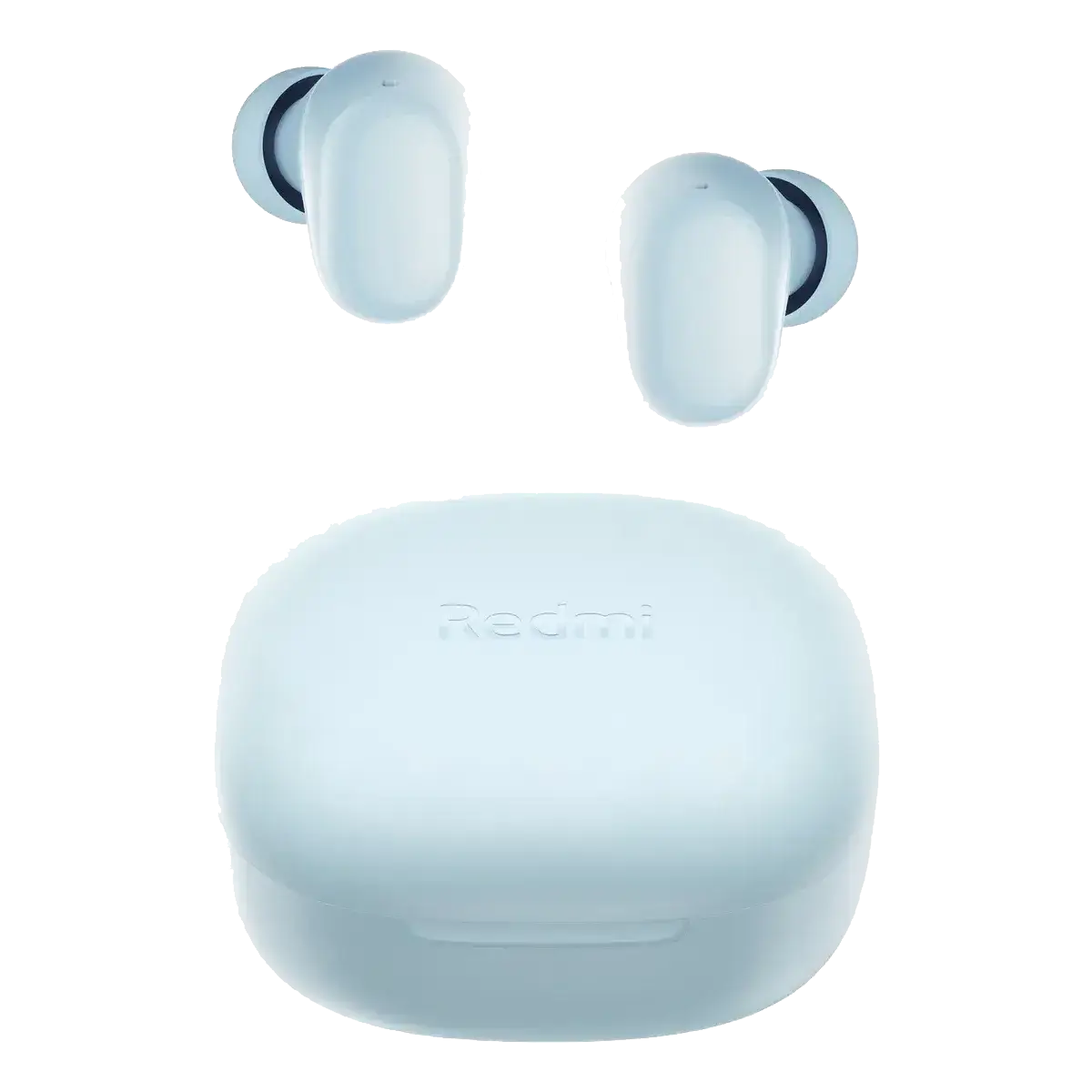
That is usually wrong. Most single-earbud failures are not a dead driver: they are a sync problem between the two buds, dirty charging pins, or a stale pairing stored in the phone. The Xiaomi Redmi Buds 6 Play were built with a physical button on the case precisely for this — a 10-second hold restores the factory state, no app and no cable gymnastics required. This guide covers the ten failures that actually happen, the official reset, how to clean the contacts, and what R$ 68,99 honestly buys: 7.5 hours per charge, 36 hours with the case, Bluetooth 5.4 and IPX4.
Quick Answer
- A silent earbud is usually out of sync or not charging — not dead. Reset before you replace anything.
- Official reset: both buds in the case, lid open, hold the case button for 10 seconds until the LED flashes. Then re-pair from scratch.
- Clean the copper pins on the buds and inside the case with a dry cotton swab — dirty contacts cause most "one side won't charge" cases.
- Still one-sided? Take both buds out, triple-tap both touch areas at the same time to force them to pair with each other, then reconnect the phone.
- Real specs: 10mm driver, 7.5h per charge, 36h total, 10-minute charge = 3h, Bluetooth 5.4, IPX4, 3.6g per bud.
- R$ 68,99 — cheaper than replacing a pair that a free reset can probably fix.
- Verdict: run the free reset first. If the driver is genuinely dead, the Buds 6 Play is the low-risk replacement.
The 10 Failures (and the Fix That Works)
Every "broken" earbud story is one of a handful of problems. Here is each symptom, the real cause, and the fix — including the cases the Buds 6 Play design already prevents.
| # | Symptom | Real cause | Fix / how the Buds 6 Play handles it |
|---|---|---|---|
| 1 | Only one earbud has sound | The two buds lost their link, or one is not charging | Factory reset with the case button (10s) and re-pair; clean the pins if one side never charges |
| 2 | One earbud does not charge in the case | Dirty copper pins, lint in the slot, or an empty case battery | Clean the pins and the slot with a dry swab; charge the case over USB-C first |
| 3 | The buds never enter pairing mode | The phone still holds an old pairing, or the case has no charge | Hold the case button 2s for pairing mode; remove the old entry from the phone first |
| 4 | Constant disconnects and stutter | Distance over 10m, walls, or 2.4GHz interference | Bluetooth 5.4 link; keep the phone close, away from routers and microwaves |
| 5 | Connected, but sound comes from the phone speaker | "Media audio" is disabled in the Bluetooth profile | Phone Settings → Bluetooth → Redmi Buds 6 Play → enable Media audio |
| 6 | Very low volume or muffled sound | Wrong ear tip, wax on the mesh, or low source volume | Try the S/L tips in the box, clean the mesh, raise the phone volume, then adjust EQ in the app |
| 7 | Touch controls stop responding | A firmware glitch or a control remapped in the app | Check the Xiaomi Earbuds app, update firmware, then reset the buds |
| 8 | Battery dies much faster than 7.5 hours | Maximum volume, old firmware, or one bud draining while the other sleeps | 7.5h per charge / 36h total; update firmware and use the 10-minute quick charge (3h) |
| 9 | The charging case will not charge | Bad cable, lint in the USB-C port, or a weak charger | Try another USB-C cable and charger; clean the port with a dry brush |
| 10 | Audio lag in games and video | Default Bluetooth latency and the SBC codec | Enable low-latency mode (hold both touch areas 1.5s or use the app) — down to ~180ms on supported phones |
Why One Earbud Stops Working (and the 10-Second Fix)
True wireless earbuds are two tiny computers that must agree with each other before they agree with your phone. One bud is the master, the other the slave; when that link breaks — after a drop, a low battery, or a phone that connected to only one side — the symptom is exactly "one earbud has no sound". The second most common cause is boring: the bud is not charging because the copper pin is dirty, so it dies while its partner stays full.
The Redmi Buds 6 Play have a physical button on the case that does the job most cheap earbuds hide in an app. The official reset is:
- Put both earbuds in the case and close the lid. Charge for 10 minutes over USB-C — a reset cannot work on a flat case.
- Open the lid and keep both earbuds inside.
- Press and hold the case button for about 10 seconds, until the indicator LED flashes. That restores the factory settings.
- Remove both earbuds, wait five seconds, put them back and close the lid.
- On the phone, open Bluetooth and forget/remove the old "Redmi Buds 6 Play" entry.
- Open the lid and pair again. On Android with Google Play services, Fast Pair should offer the pop-up automatically.
- If one side is still silent, take both buds out, wear them and triple-tap both touch areas at the same time to force the pair to link, then reconnect.
- Still nothing? Clean the copper pin on the silent bud and the contact inside the case with a dry cotton swab. Never use water or alcohol inside the case.
If the LED never flashes, the case battery is the problem — charge it first. If one earbud never lights up even on a full case, that is a hardware fault and the warranty is the right path, not another reset.
Redmi Buds 6 Play vs QCY T13 vs Haylou GT7
If the reset does not save your old pair, these are the three budget earbuds we actually recommend. They solve the same pain differently: the Redmi is the balanced all-rounder, the QCY is the battery and call champion, and the Haylou is the lightest with the punchiest bass.
| Feature | Redmi Buds 6 Play | QCY T13 | Haylou GT7 |
|---|---|---|---|
| Price (reference) | R$ 68,99 | Budget tier | Budget tier |
| Battery (buds / total) | 7.5h / 36h | 8h / 40h | 5h / 20h |
| Driver | 10mm dynamic | 7.2mm dynamic | 8mm dynamic |
| Bluetooth | 5.4 | 5.1 | 5.2 |
| Microphones / calls | Dual mic + AI noise reduction | 4 mics + ENC | Dual mic + AI ENC |
| Water resistance | IPX4 (buds only) | IPX5 | IPX4 |
| Weight per bud | 3.6g | ~4.3g | 3.9g |
| App / EQ | Xiaomi Earbuds app, 5 EQ presets | QCY app, custom EQ | No app |
| Low-latency mode | Yes, down to ~180ms on supported phones | Yes | Yes |
| Best for | Balanced sound, comfort and stable pairing | Maximum battery and calls | Punchy bass and the lightest fit |
Honesty before sale: the QCY T13 lasts longer (40h vs 36h) and has a better call array; the Haylou GT7 is lighter and more energetic. The Redmi Buds 6 Play win on the combination that matters when things go wrong: Bluetooth 5.4, a physical reset button, 5 EQ presets, 3.6g of comfort and the lowest price of the three.
Redmi Buds 6 Play: Main Characteristics
- 10mm dynamic driver, 20Hz–20kHz, warm and full for the price
- 7.5 hours per charge and 36 hours total with the 600mAh case
- 10-minute fast charge = 3 hours of playback (case at 35% or more)
- Bluetooth 5.4 with Google Fast Pair and a low-latency mode for video and casual gaming
- Dual microphones with AI noise reduction for clearer calls
- IPX4 splash resistance on the buds (the case is not water-resistant)
- 3.6g per earbud, bean-shaped, with S and L tips in the box
- Touch controls and the Xiaomi Earbuds app: 5 EQ presets, remapping, battery and firmware updates
- Physical case button for pairing and the factory reset — no app needed to recover a lost bud
- USB-C charging; SBC codec only (no AAC or aptX), no ANC and no transparency mode
Redmi Buds 6 Play: Pros and Cons
Pros
- R$ 68,99 — one of the best price-to-performance ratios in true wireless
- 3.6g per bud: comfortable for hours, sleeps and workouts
- 7.5h per charge, 36h total, 10-minute quick charge
- Bluetooth 5.4 with Fast Pair and low-latency mode
- Physical reset button on the case — the fix for one-earbud failures is free
- 5 EQ presets and touch remapping in the Xiaomi Earbuds app
- IPX4 sweat and splash resistance
Cons
- No ANC and no transparency mode
- SBC codec only — no AAC or aptX
- The charging case is not water-resistant
- No wireless charging
- Microphone is good indoors, average in very loud streets
- No multipoint: one device at a time
When the QCY T13 or Haylou GT7 Is the Better Call
If your priority is a full week between charges and the best calls under budget, the QCY T13 is the honest pick: 8h per charge, 40h total, 4-mic ENC and IPX5. If you want the lightest bud and the most energetic bass for the gym, the Haylou GT7 delivers at 3.9g and 20h total — but with no app and no volume control on the buds. The Redmi Buds 6 Play sits in the middle, and that is the point: it is the safest first pair or replacement because it is cheap, comfortable, stable on Bluetooth 5.4 and recoverable with a button when one side inevitably loses sync.
FAQ
Why does only one Redmi Buds 6 Play work?
Almost always because the two buds lost their link or one is not charging. Put both in the case, open the lid, hold the case button for 10 seconds until the LED flashes, then remove the old pairing from the phone and pair again. If one bud never charges, clean the copper pin and the contact inside the case with a dry swab.
How do I reset the Redmi Buds 6 Play?
Place both earbuds in the case, open the lid and press and hold the case button for about 10 seconds, until the indicator flashes. That restores factory settings. Then forget the device on the phone and pair again. If the LED does not flash, charge the case first.
How do I put them in pairing mode?
With both buds in the open case, press and hold the case button for about 2 seconds until the indicator flashes. On Android with Google Play services, opening the lid near the phone triggers Google Fast Pair. Remove the old Bluetooth entry first if the phone refuses to connect.
Why is the case not charging the earbuds?
Three usual causes: dirty copper pins, lint in the charging slot, or an empty case battery. Clean the pins and slot with a dry cotton swab, then charge the case over USB-C. If one bud still never lights up, that is a hardware fault — use the warranty.
Can I use just one earbud at a time?
Yes, both buds work independently in mono mode for calls or music. If the pair refuses to split cleanly, reset with the case button and reconnect; the phone will then let you use either side alone.
Do the Redmi Buds 6 Play have noise cancellation?
No. They rely on passive isolation from the in-ear fit and offer AI noise reduction for calls only. There is no ANC and no transparency mode. If ANC is a must, this is not the model — but at R$ 68,99, neither is anything else in this bracket.
Are they good for gaming?
For casual mobile gaming and video, yes: Bluetooth 5.4 plus the low-latency mode (hold both touch areas 1.5s or enable it in the app) keeps lip-sync tight, down to about 180ms on supported Xiaomi and POCO phones. For ranked FPS play, a wired or 2.4GHz headset is still the better tool.
How long does the battery actually last?
Xiaomi rates 7.5 hours per charge and 36 hours with the case, tested at 50% volume with SBC. Real use with higher volume lands a little lower. A 10-minute charge gives about 3 hours when the case is at 35% or more.
Fix the Earbud Problem Today
Live prices from trusted sellers on Mercado Livre. Xiaomi Redmi Buds 6 Play, Bluetooth 5.4, 36 hours total, IPX4, new with standard warranty.
As affiliates, we may earn a commission on purchases made through our links, at no extra cost to you. This never changes our opinion.